Quickly extract readable front-end code from live pages
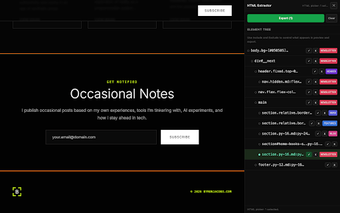
SavedPixel HTML CSS JS Extractor, from SavedPixel, is a Chrome extension that captures front-end code to speed up web prototyping. The extension extracts HTML structure, linked CSS, and JavaScript from selected page elements and offers preview and editing before export. Key capabilities include one-click element extraction, a real-time preview, an integrated code editor, and downloadable assets for local use. It targets web developers, UI designers, and students needing fast browser-based prototyping and study material.
How well does it produce clean, reusable output?
The extractor emphasizes clean code generation that removes browser-specific artifacts, producing output meant for inspection and rework rather than blind copy-and-paste. The resulting markup and styles tend to be more readable than raw DOM snapshots, which helps when reconstructing component structure. That trimming of extraneous rules reduces manual cleanup time when reconstructing layouts for design experiments and educational review.
How effectively does it handle complex CSS and JavaScript?
The tool supports modern web technologies and responsive design frameworks, and it can identify JavaScript tied to specific page elements. This makes it useful for examining component behavior built with contemporary libraries. Extraction is reliable on most public sites; however, pages that use heavy code obfuscation or strict security measures can limit what the extension can capture, so some interactive logic may remain inaccessible on those pages.
How does it fit into Chromium-based development workflows?
The extension installs into Chrome and is available for other Chromium-based browsers such as Microsoft Edge, Brave, and Opera, which lets developers access it during regular browsing sessions. SavedPixel, the developer, focuses on productivity utilities aimed at front-end workflows, so the add-on is designed to sit alongside existing inspection tools rather than replace a full build process. That placement keeps the capture step inside the browser where prototypes commonly start.
A practical choice for quick prototyping and code study
SavedPixel is a practical option for developers and designers who want fast, browser‑centric ways to inspect and learn from live components. Community feedback notes time savings during early experiments, and the extension’s outputs are intended for prototyping and learning; developers should run extracted scripts and styles through linters and sandboxed tests before integrating them into production projects.
Pros
Produces trimmed, readable code by removing browser-specific artifacts
Identifies and extracts JavaScript linked to selected page elements
Available on Chrome and other Chromium-based browsers for quick access
Includes a live preview and in-extension editor for rapid adjustments
Cons
Extraction can be limited on heavily secured or obfuscated sites
Outputs intended for prototyping; require review before production use
Depends on Chromium-based browsers, no non‑Chromium support noted
Laws concerning the use of this software vary from country to country. We do not encourage or condone the use of this program if it is in violation of these laws. Softonic may receive a referral fee if you click or buy any of the products featured here.